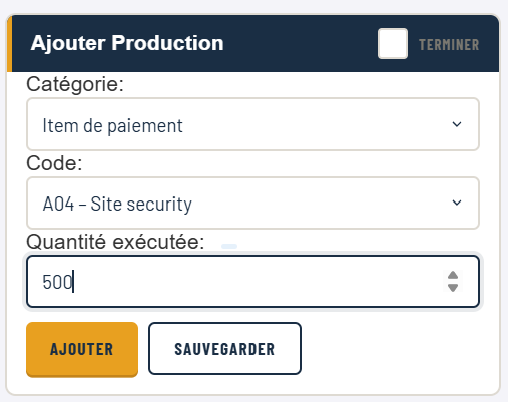
The signal
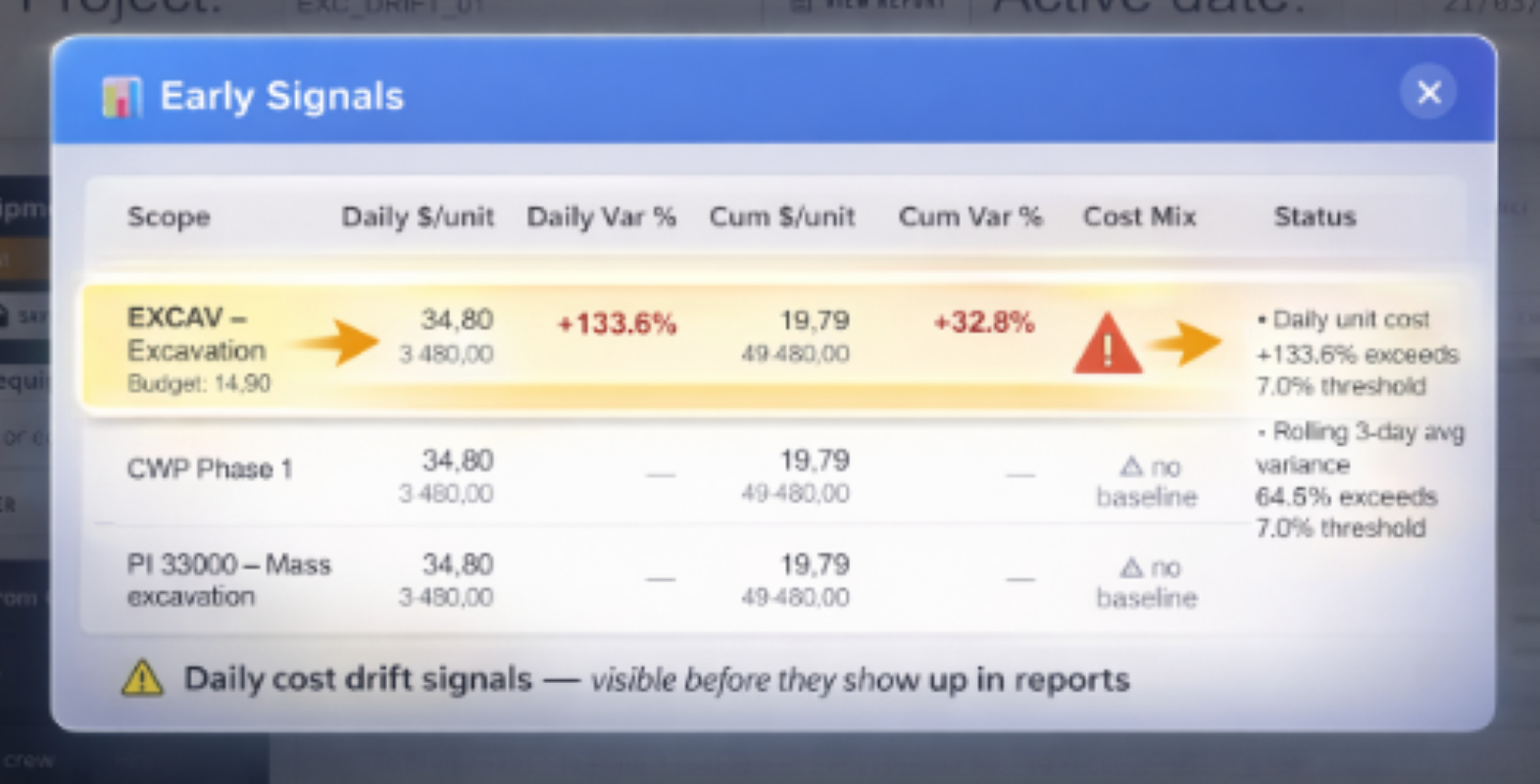
Daily cost-drift detection fires as soon as an activity crosses its variance threshold. No waiting for month-end close.
Build and price your bid in TCC. Track daily hours, production and activity costs to spot drift while you can still act. Built for small and mid-size civil contractors, in English and French.
One project free forever · Then $100/project/month · No credit card
Enter hours and production → spot the activity variance → investigate the cause.
Video on YouTube · No account required
“We use TCC on our extraction and site rehabilitation project. It connects what's actually happening on site with what it's really costing us — the angle that's missing from the construction management tools we tried.”
One project free forever. Then $100/project/month.
Unlimited users. All features. No contract, no setup fee — 5–10× less than Procore or Civalgo. First report the same day you sign up.
See full pricing Start my free projectHow a single over-budget activity moves from a Monday-morning alert to every stakeholder's inbox by the end of the day.
Daily cost-drift detection fires as soon as an activity crosses its variance threshold. No waiting for month-end close.
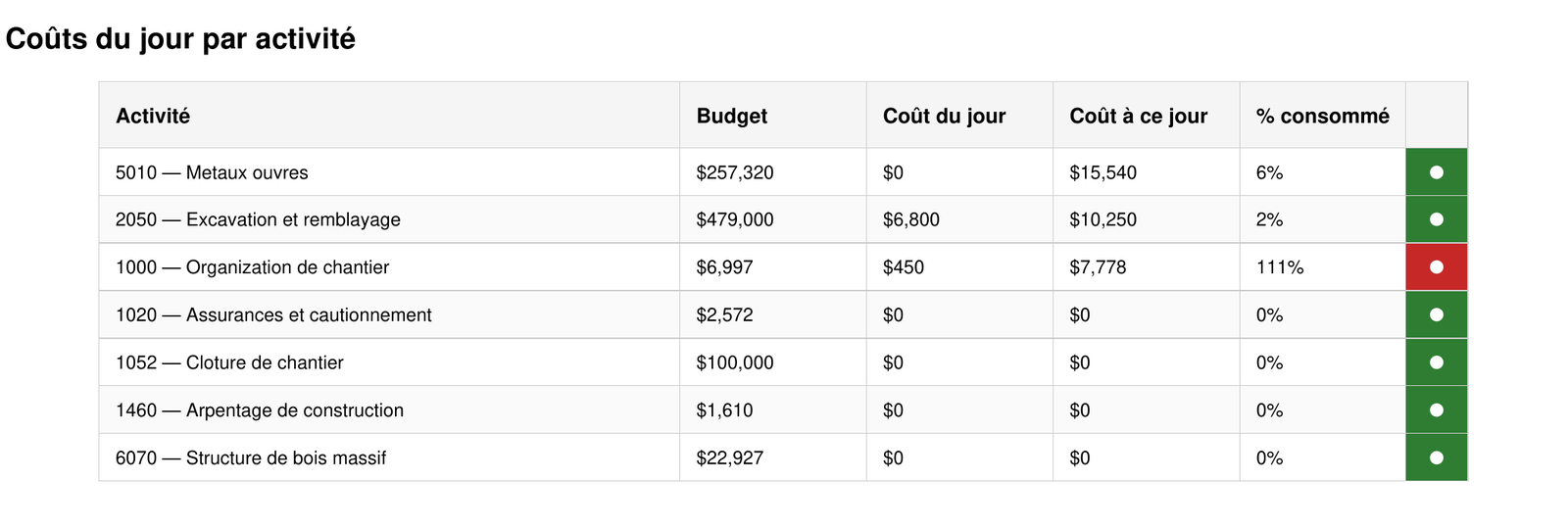
The daily report makes the variance visible at the activity level — budget vs. cost-to-date, flagged automatically with a red status.
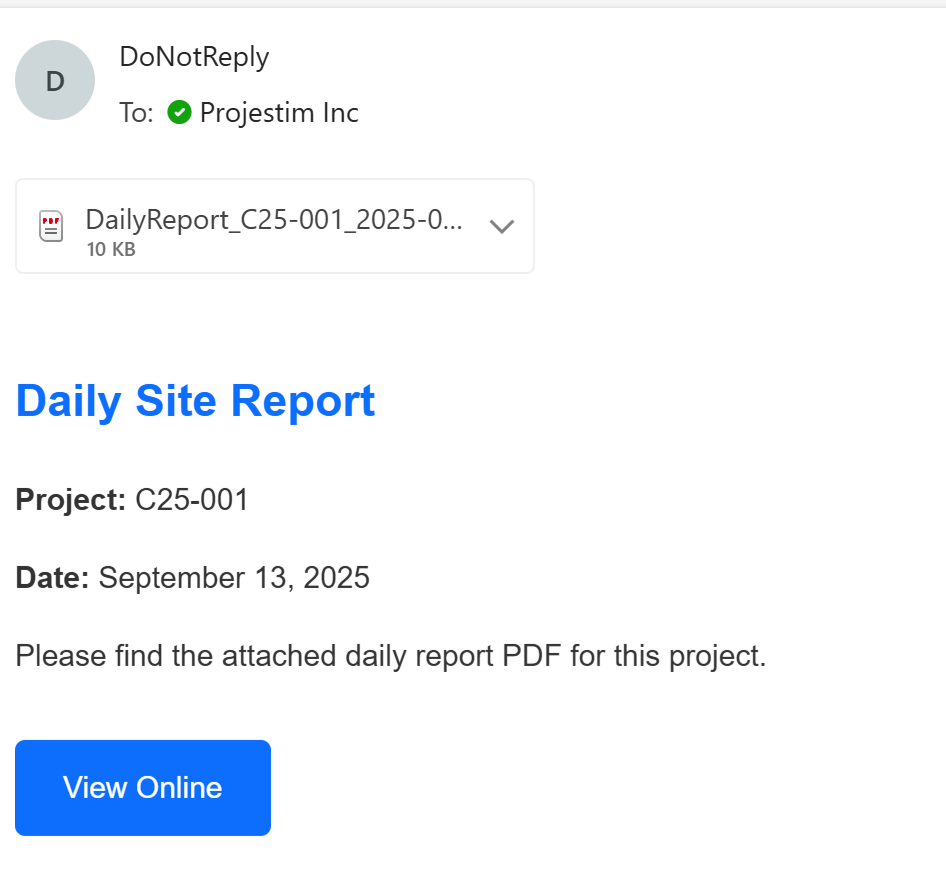
Every stakeholder receives the report by email with a one-click link to view it online. Nobody has to chase it.
Most cost-control tools are reactive. Earned-value dashboards and accounting reports are powerful, but they're only as current as the field data underneath them. When that data arrives at month-end, every “insight” is an autopsy.
By the time accounting closes the month, the crew, equipment and conditions that caused the overrun are long gone. You can explain the variance — you can't undo it.
The teams who need cost control most are the ones where daily reports fall behind. Missing reports aren't a paperwork problem — they're a cost-control blind spot.
Field tallies live in notebooks and Excel tabs that never reconcile against the budget by activity. The numbers exist; the connection doesn't.
Platforms built for large GCs are too slow and complex for a foreman on a phone. Adoption dies, and so does the data.
Crew productivity down 8%.
Equipment idle, waiting for materials.
Production falls behind estimate.
Cost report confirms the variance — too late to act.
TCC surfaces the signals on Day 1–7, while corrective action is still possible.
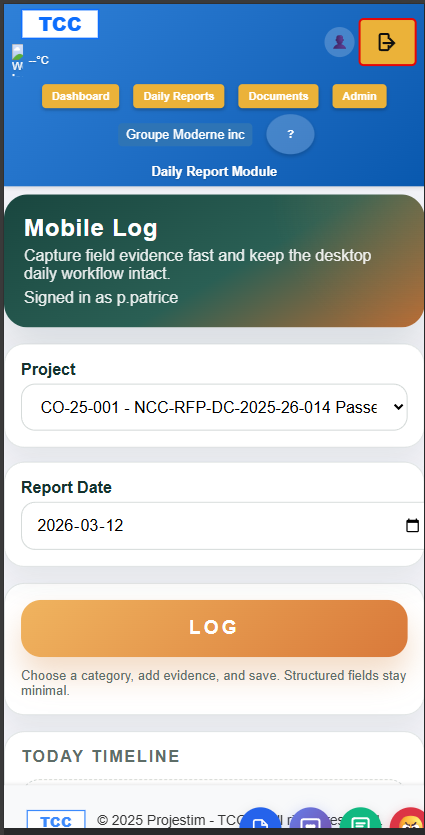
Field crews log labour, equipment, materials and production in under 60 seconds — on whatever phone they have.
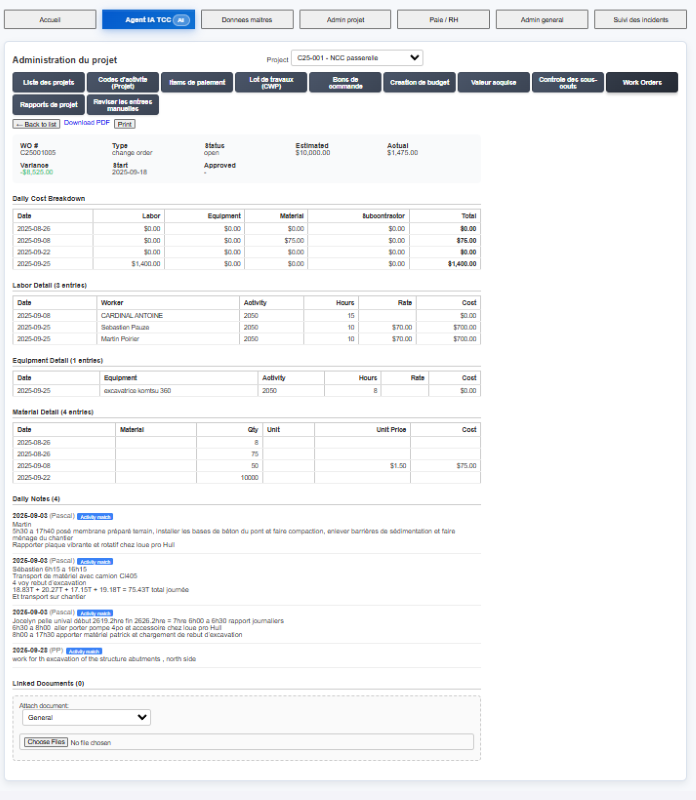
Every entry ties back to an activity, a work order and a cost code — automatically, the same shape as your budget.
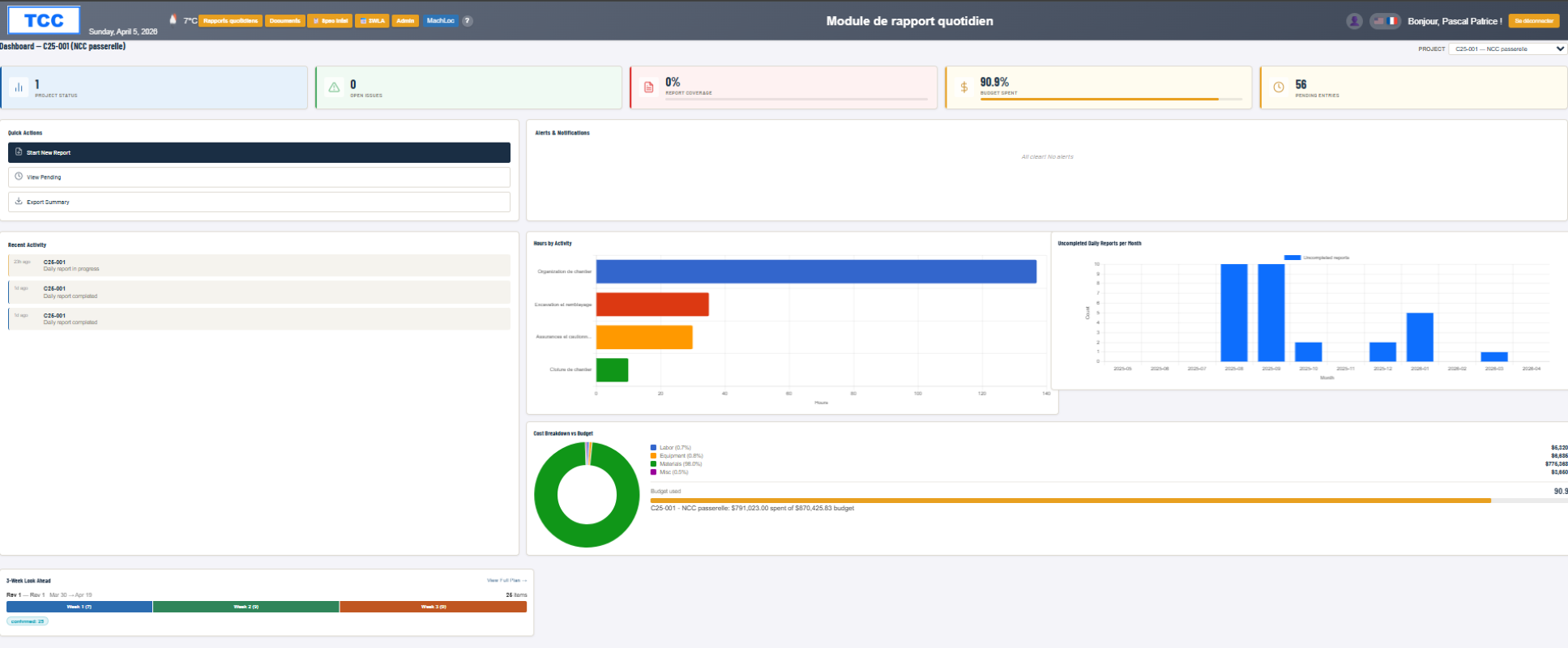
The project dashboard updates daily. Over-budget trends show up this week — not next month.
Structured daily capture is the foundation — cost and productivity intelligence are derived from it.
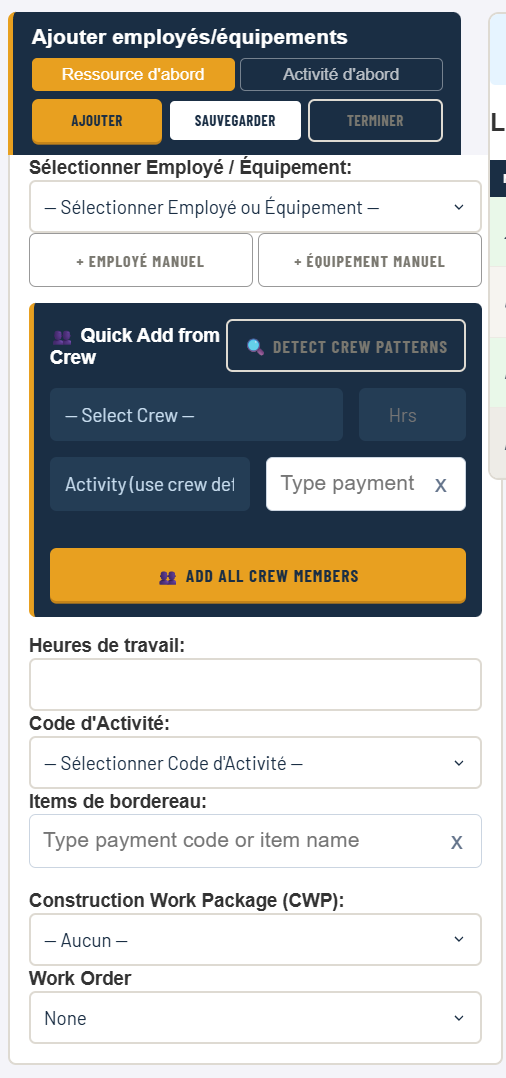
Workers and equipment logged against the right activity and cost code.
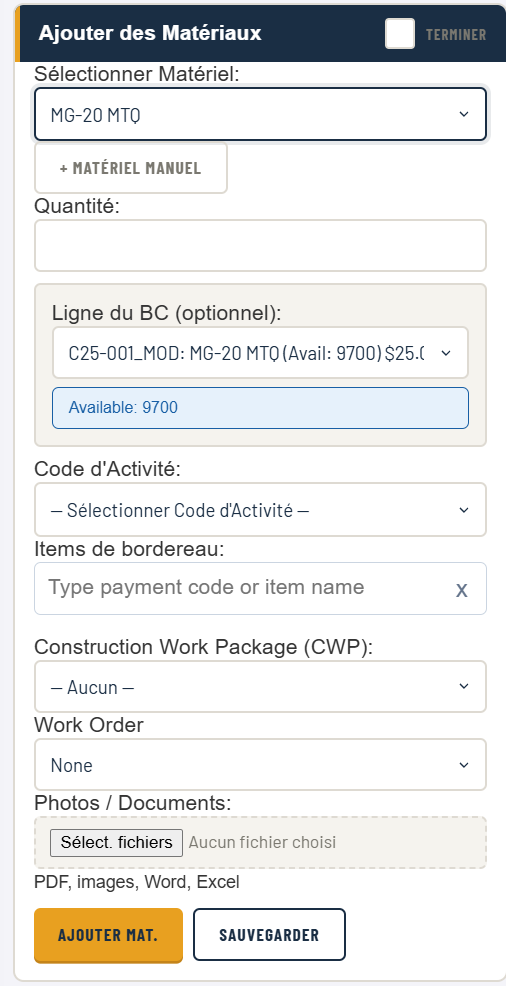
Quantities consumed tracked against the activity they belong to.
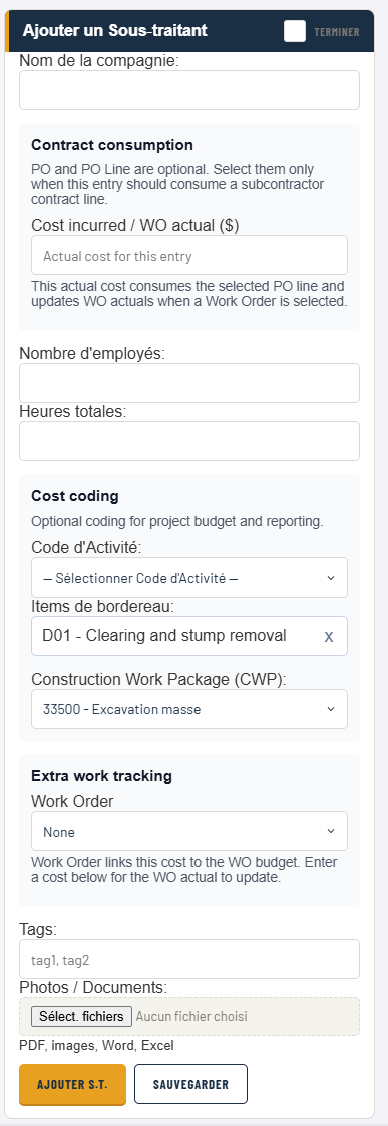
Sub hours and work tracked alongside your own crews.
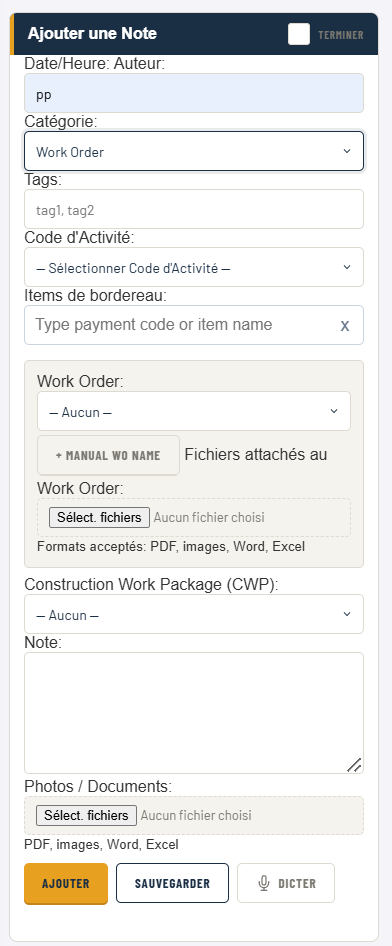
Daily notes, work orders and attachments tied to the report.
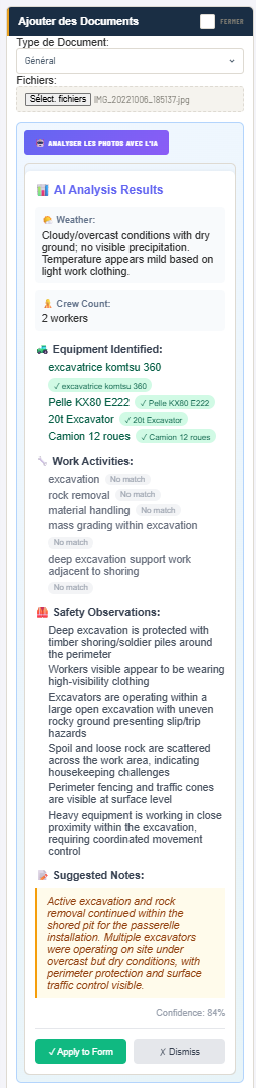
Drop in a jobsite photo — TCC reads weather, crew count, equipment and safety conditions, then writes suggested daily notes.
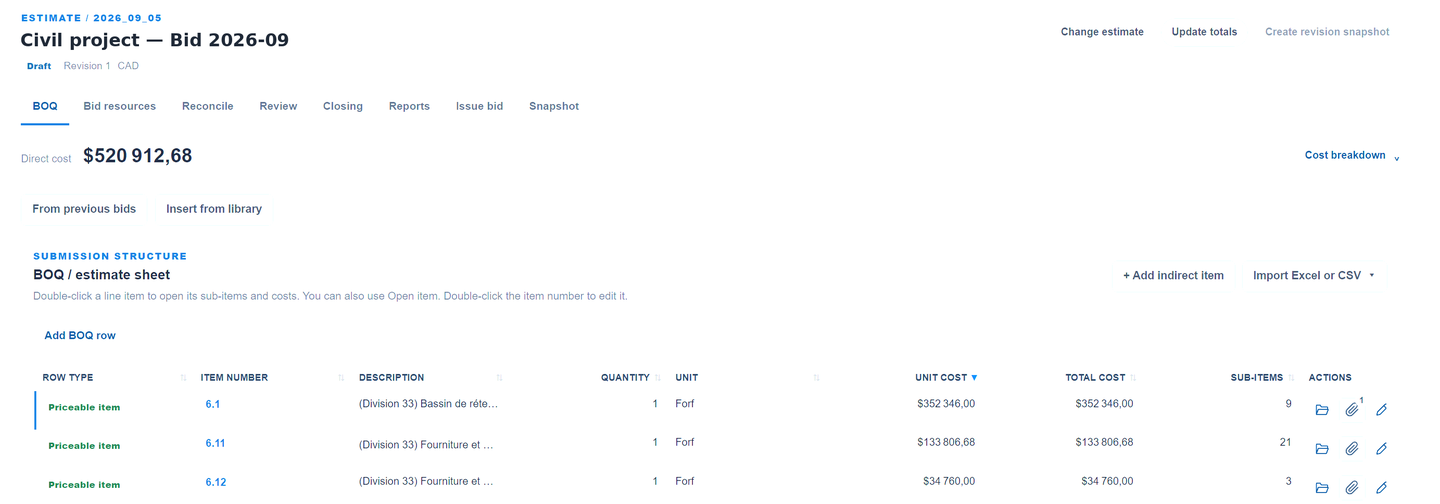
Build your BOQ, price sub-items with crews and productivity rates, apply contingency and profit by category, issue the client bill as a PDF. Already have an estimator you like? Import the BOQ from Excel or CSV.
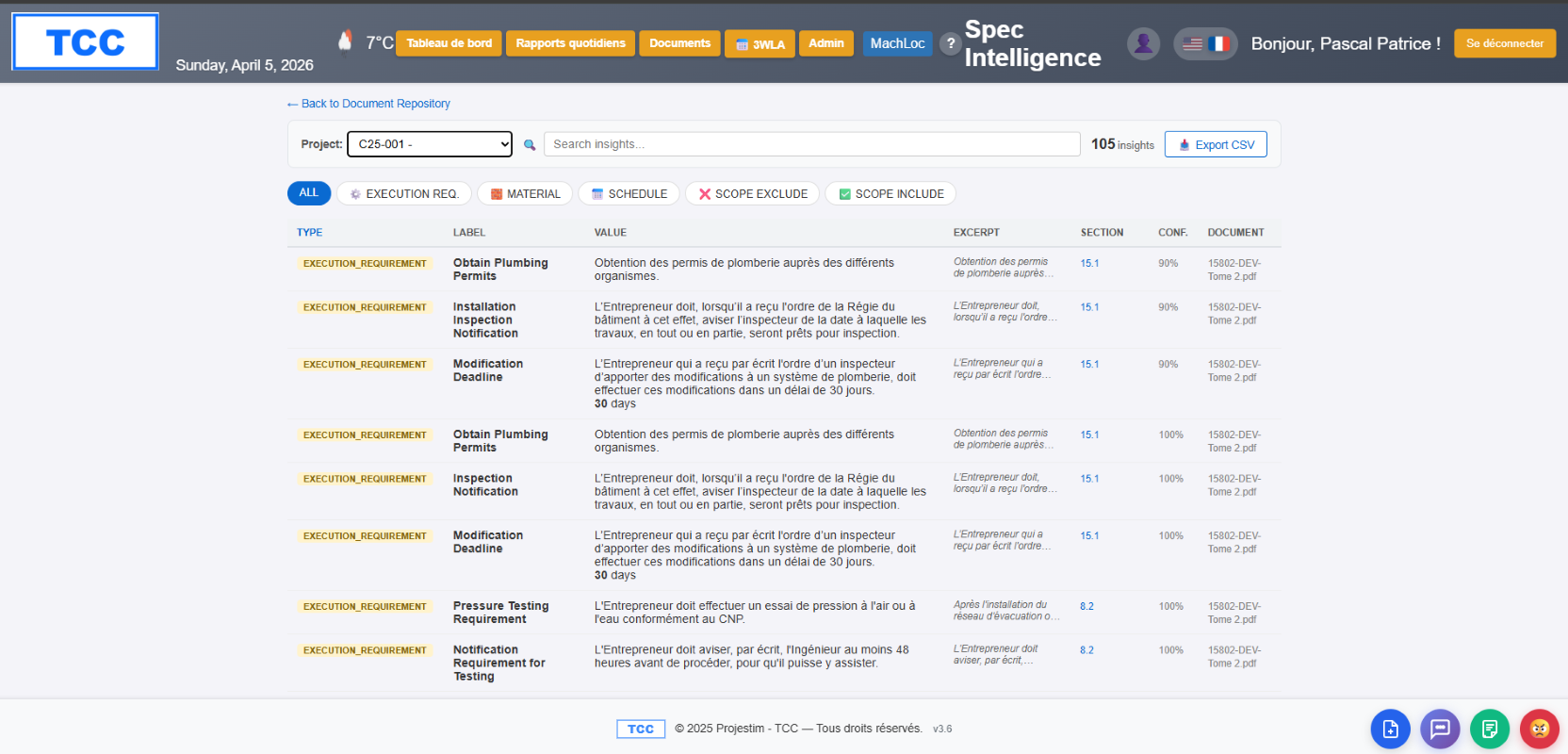
Spec Intelligence extracts execution requirements, materials and scope from your tender PDFs automatically — turning a stack of documents into structured, searchable insights. Review extracted requirements against the source documents before relying on them.
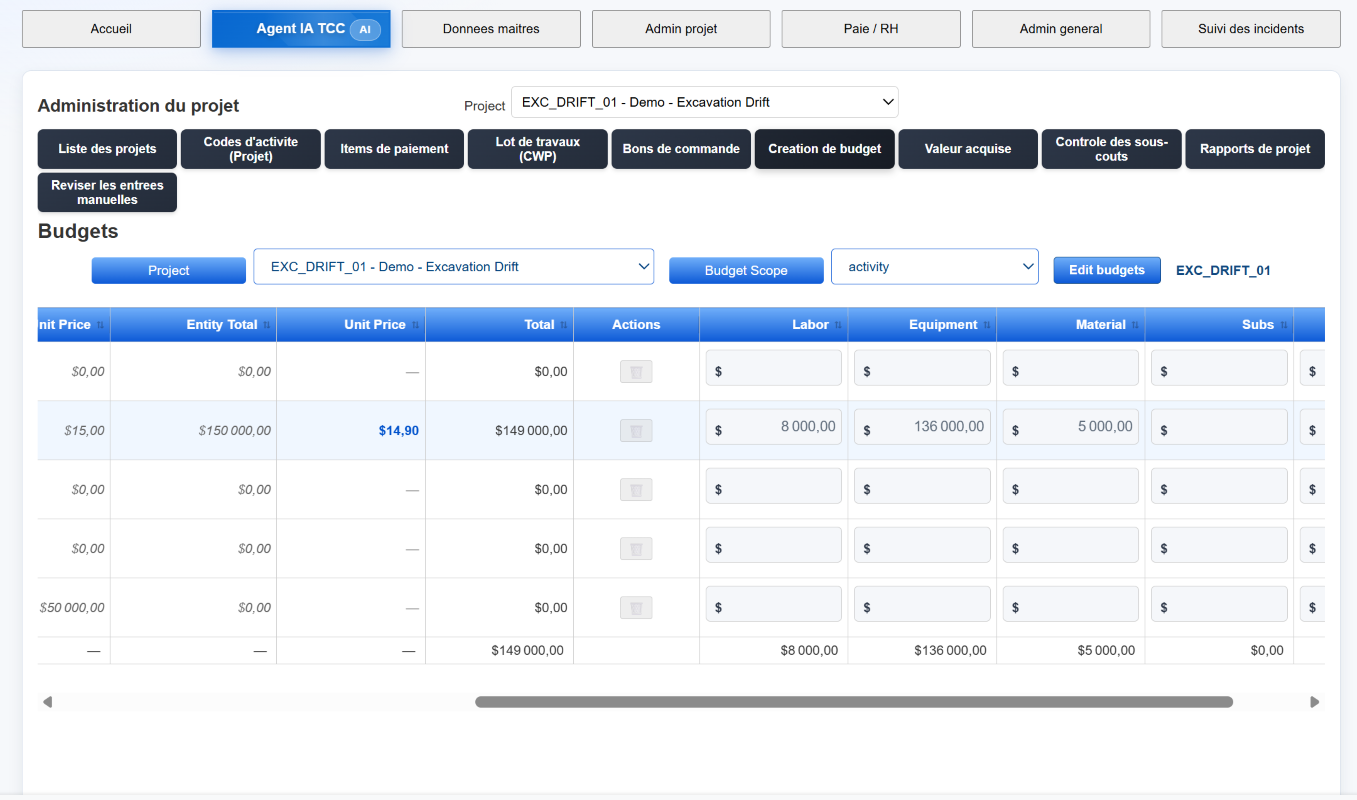
Set and adjust budgets at the activity level, with labour, equipment, material and subs separated — the exact same shape your field data arrives in. That's what makes same-day variance possible.
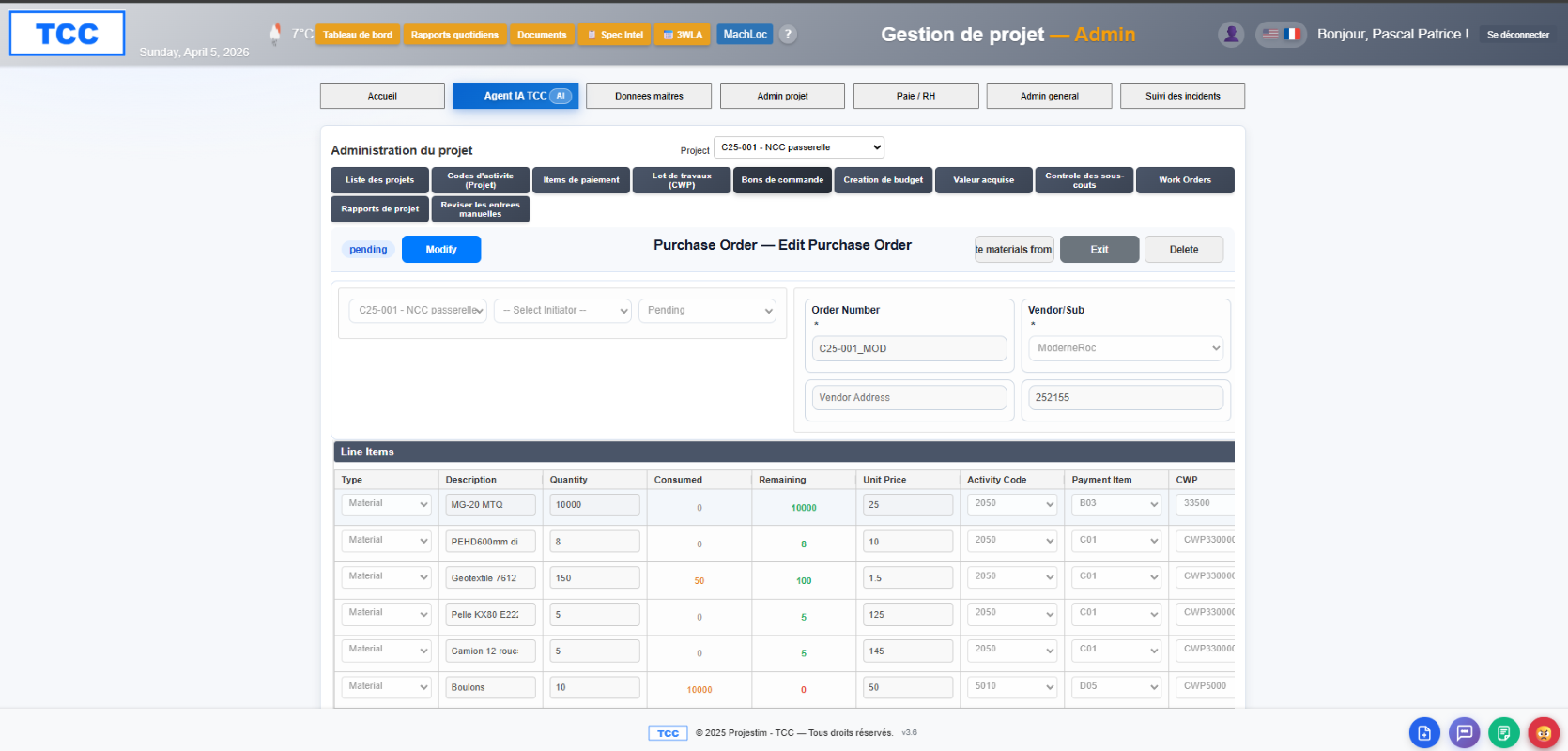
Every PO line item tracks quantity consumed versus remaining, against the activity it was budgeted for. Commitments and actuals stay reconciled without a spreadsheet export.
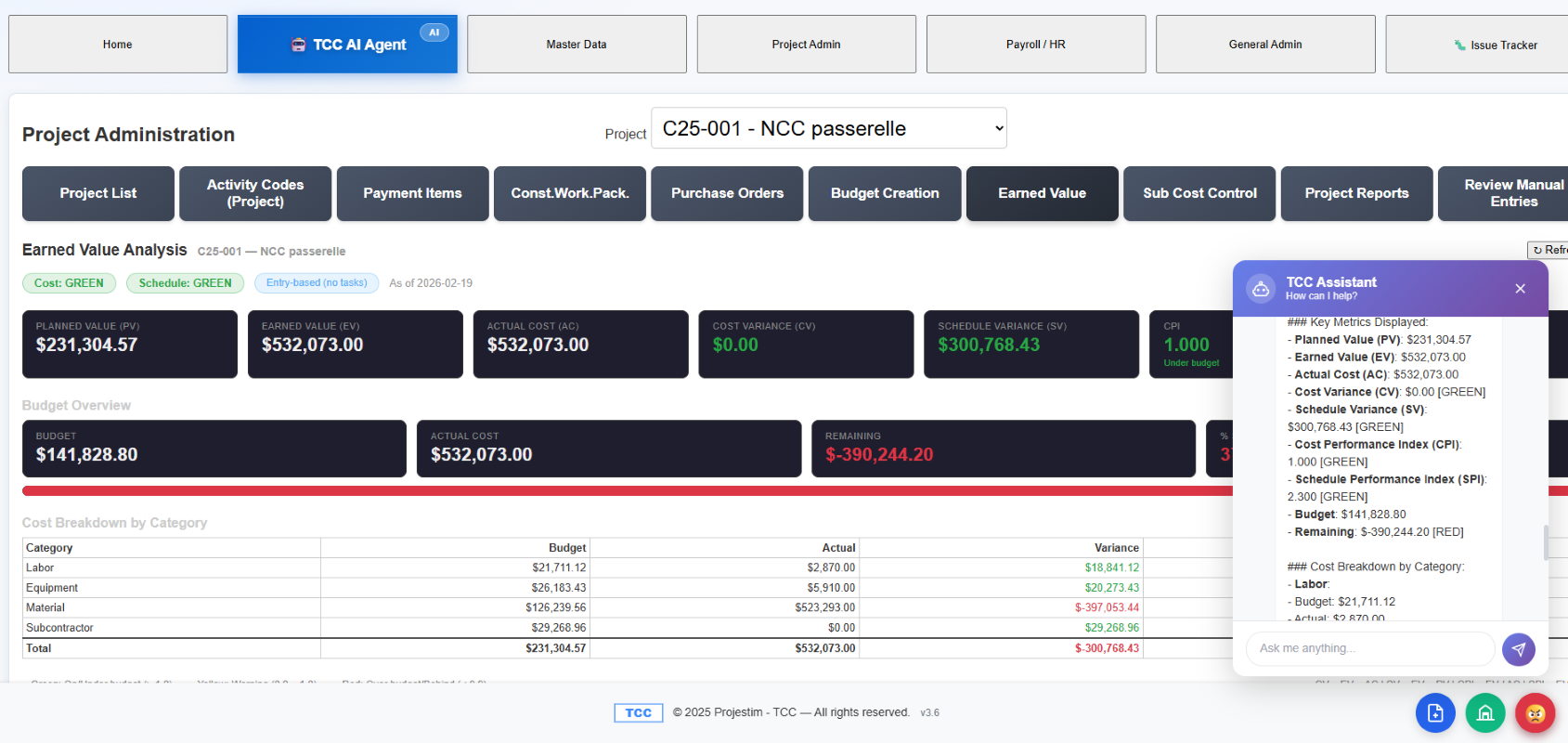
Planned value, earned value, actual cost, CPI and SPI — the analysis project managers expect, fed by daily field data instead of a month-old close.
Different tools solve different parts of the job. Here's where TCC fits for a small or mid-size civil contractor.
| Capability | TCC | Procore | STACK | Spreadsheets |
|---|---|---|---|---|
| Daily field data connected to cost, out of the box | Core product | Yes — needs Field Productivity + Financials modules | Partial — field data; cost on estimating side | Manual |
| Daily cost-drift signal before month-end | Yes — daily variance alert | Real-time budget, no daily drift alert | No | No |
| Daily report (labour, equip, material, subs, production) | Yes | Yes — Daily Log | Yes — Daily Reports | Manual |
| Activity-level budget vs. actual | Yes | Yes | Estimate-led | Manual |
| Planned-vs-actual productivity tracking | Yes | Yes — Labour Productivity view | Yes — field productivity | Manual |
| AI photo & tender-document intelligence | Yes | No | AI takeoff only | No |
| Native French / English (Québec, Bill 96) | FR-first, native | Multi-language localization | English | N/A |
| Fit for small / mid-size civil contractors | Designed for it | Enterprise / large GC | Commercial / estimating | Free but manual |
| Time to value | Minutes | Weeks (implementation) | Days | Immediate, but no rollup |
Reflects each product's positioning for a small/mid-size civil contractor as of June 2026. Procore offers a full Cost Management suite (Daily Log, real-time labour-productivity budgets, multi-language localization); STACK Build & Operate includes daily reports and field productivity. TCC's edge is connecting field data to cost-drift signals out of the box, FR-first, for small/mid civil teams — not a claim that competitors lack these tools. Procore and STACK are trademarks of their respective owners. Sources: procore.com, stackct.com (verified June 2026).
On a $5M project, 4% margin erosion is $200,000 — and most overruns start as small daily drift nobody catches until month-end. Seeing it 24–72 hours early is the difference between a correction and a write-off.
No credit card · No setup fee · Start in minutes
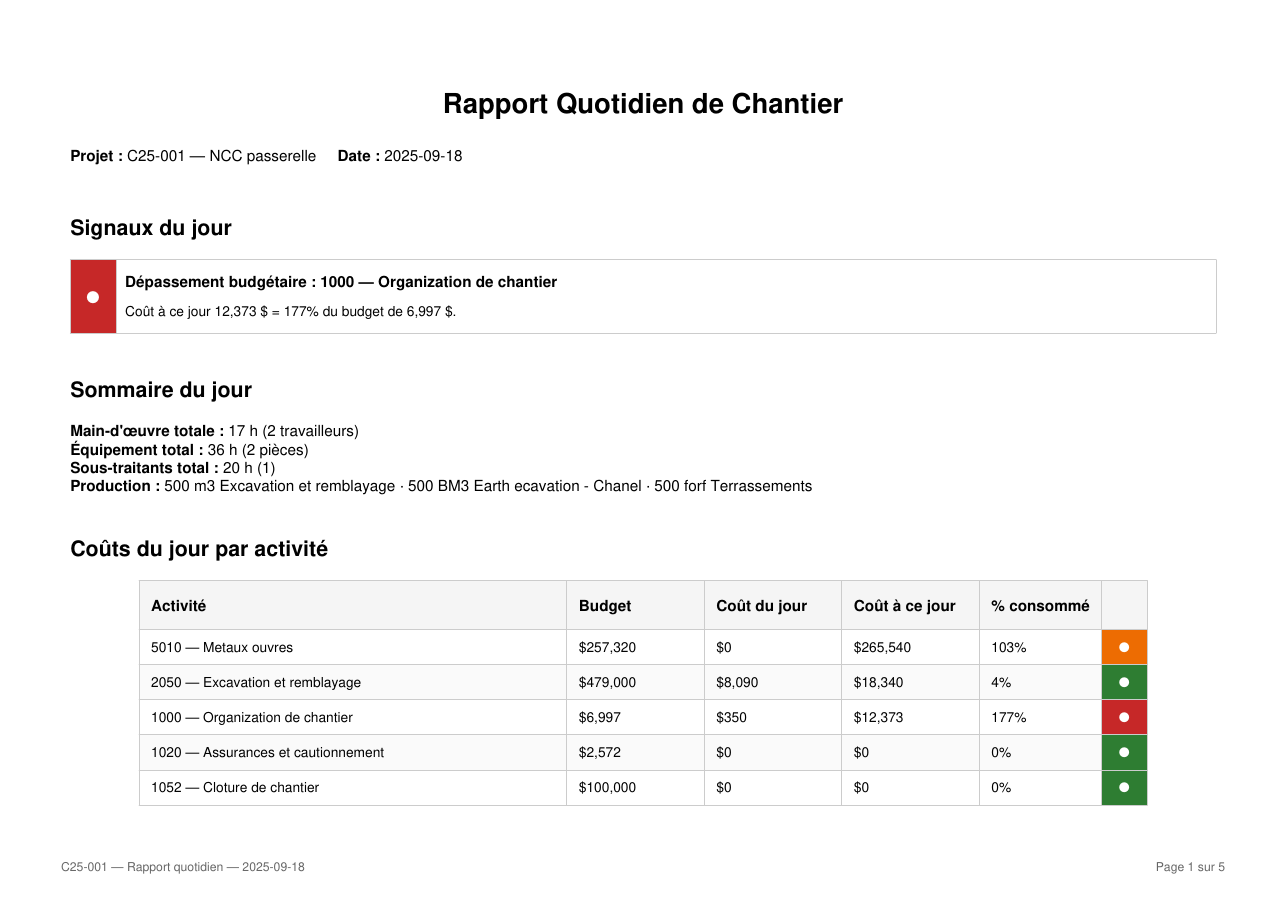
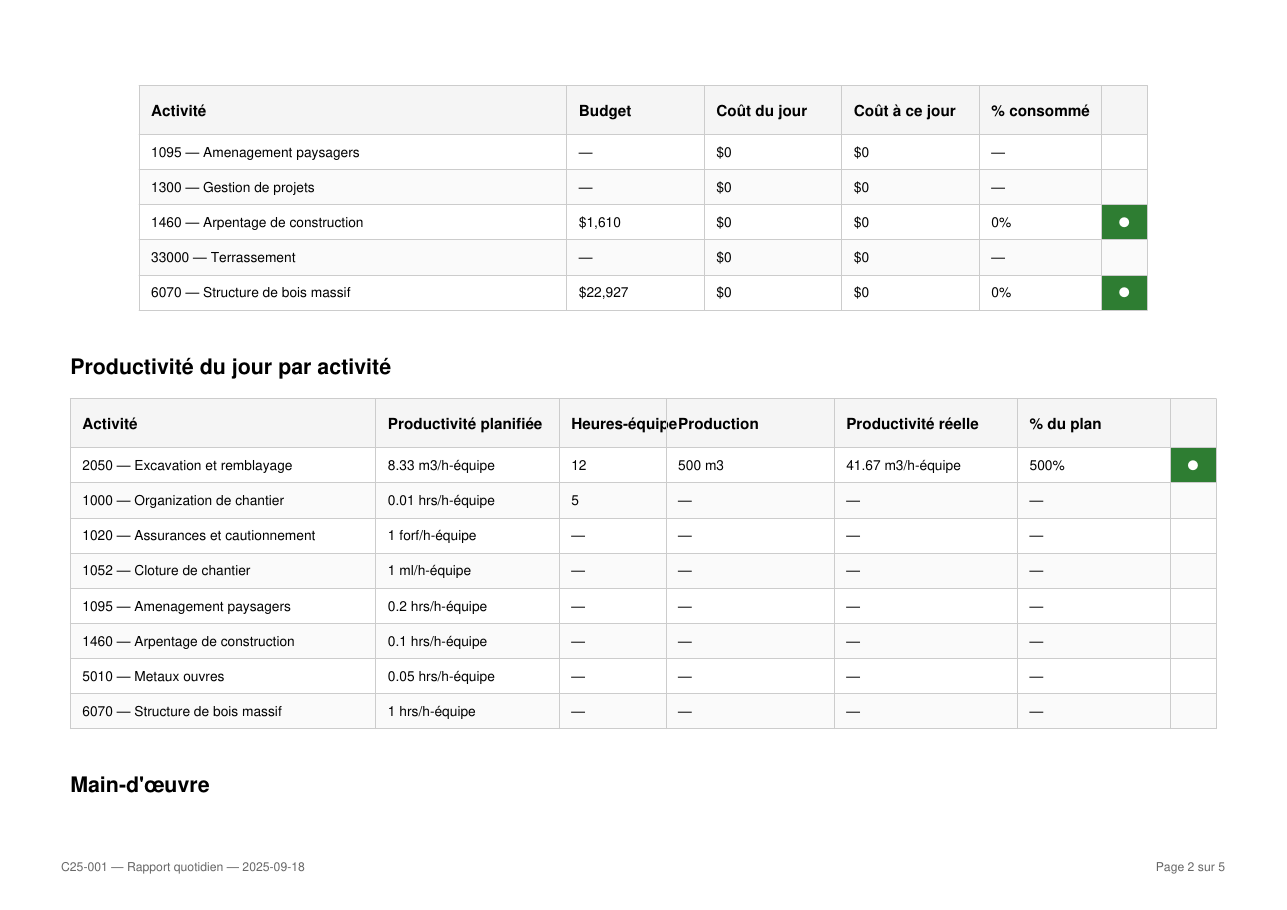
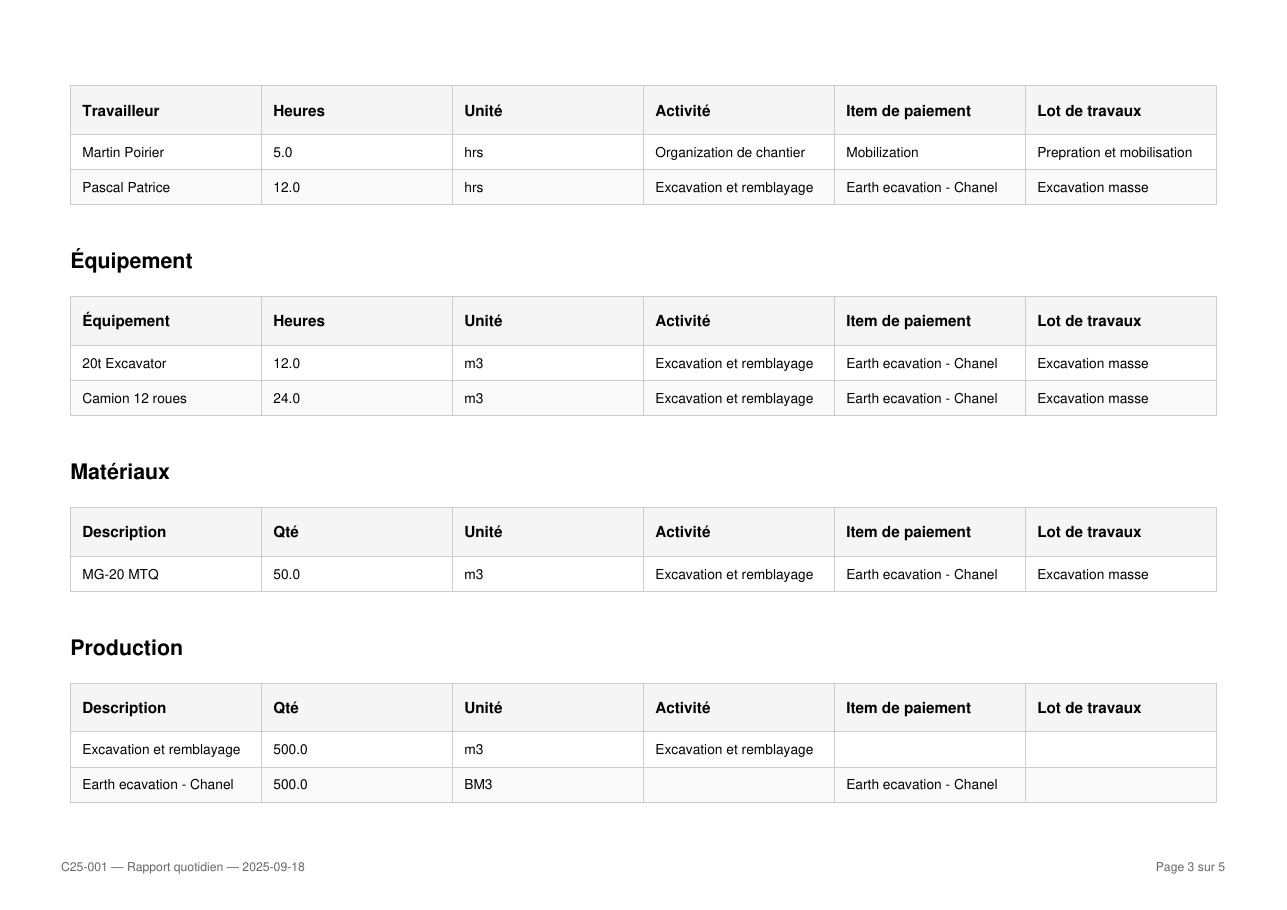
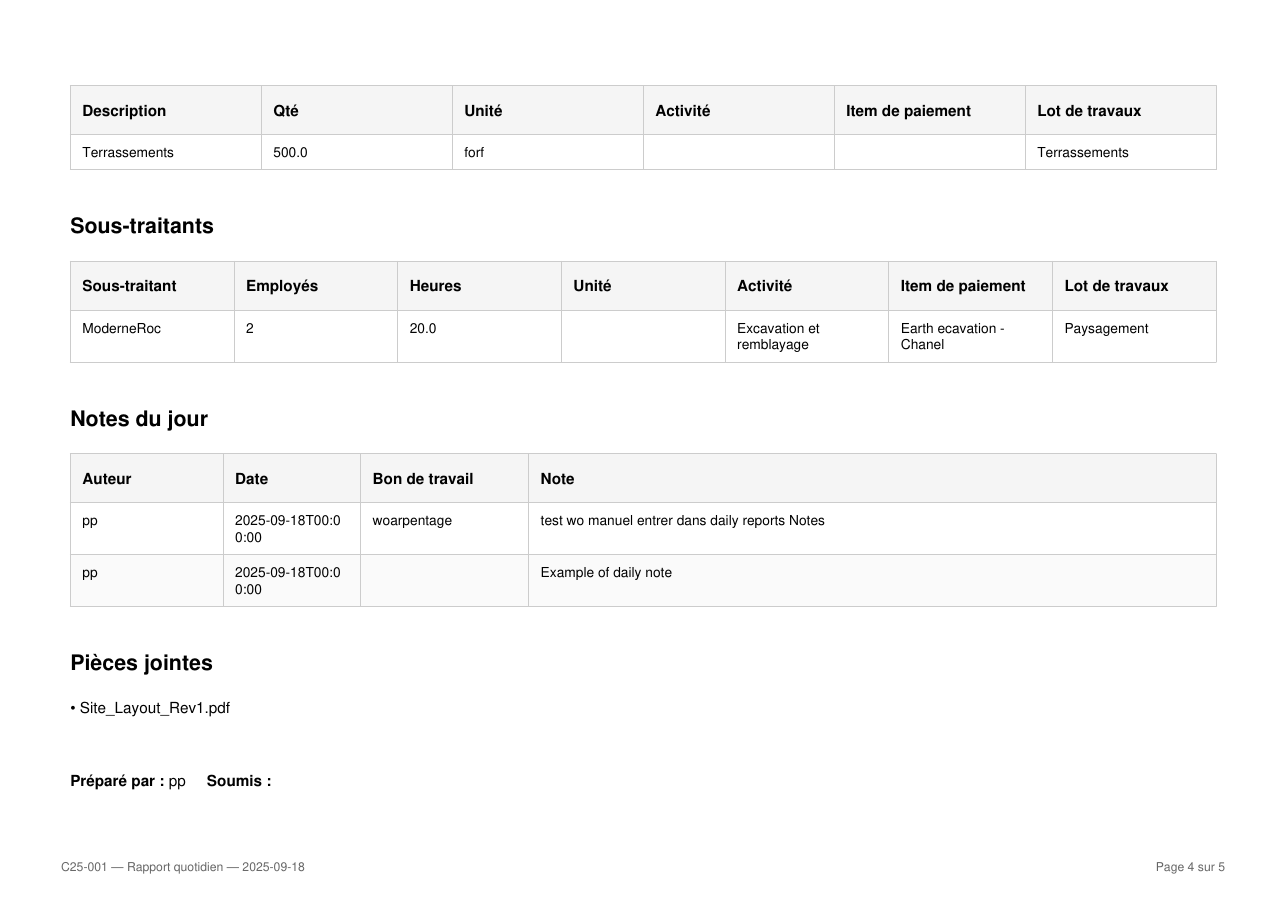
A sample report from an actual civil project — cost by activity, productivity by activity, labour, equipment, materials, subcontractors, notes and attachments. The format your stakeholders receive every morning.
See TCC in actionIt's software that tracks a project's actual costs against its budget as work happens, so you can spot and correct overruns early. TCC focuses on the field side: it captures daily labour, equipment, material and production data and ties each entry to an activity and cost code, so budget-vs-actual stays current to within 24–72 hours instead of waiting for an accounting close.
Procore and ERP systems are broad platforms oriented to larger general contractors, and cost reporting depends on data that often arrives late. TCC is purpose-built for small and mid-size civil contractors and starts from daily field capture, so cost drift surfaces at the activity level while the job is still running. It's also natively bilingual and deployable in minutes.
No. A foreman can log workers, equipment, materials and production in a couple of minutes from any phone. The draft-then-confirm workflow keeps entry fast in the field while keeping the committed record auditable.
Yes. TCC is natively bilingual — French and English — designed for Québec's civil construction industry from day one, not translated after the fact. Daily reports, the interface and the deliverables are all available in French.
You can start your free project and begin capturing daily field data in minutes — no credit card, no setup fee, no long-term contract.
Start capturing daily field data — workers, equipment, materials, production — and see where your project stands within 24–72 hours.
Start my free projectNo setup fee · No long-term contract · Start in minutes